The best microphones for video calls make it easier to speak clearly, manage quick interruptions and fit a mic into your desk setup. Choose a simple plug-in desktop option for everyday meetings, or a boom-arm and monitoring setup if you also record, stream or need more control.
Quick Top Products
FIFINE K683A USB Desktop Microphone

- USB plug-and-play works with Windows PC, Mac and PS4.
- Gain, instant mute and headphone monitoring are built in.
- A foldable tripod stand and pop filter are included.
Best For: Callers who want a simple desktop mic with quick mute, gain adjustment and headphone monitoring.

MAONO DGM20 USB Gaming Microphone
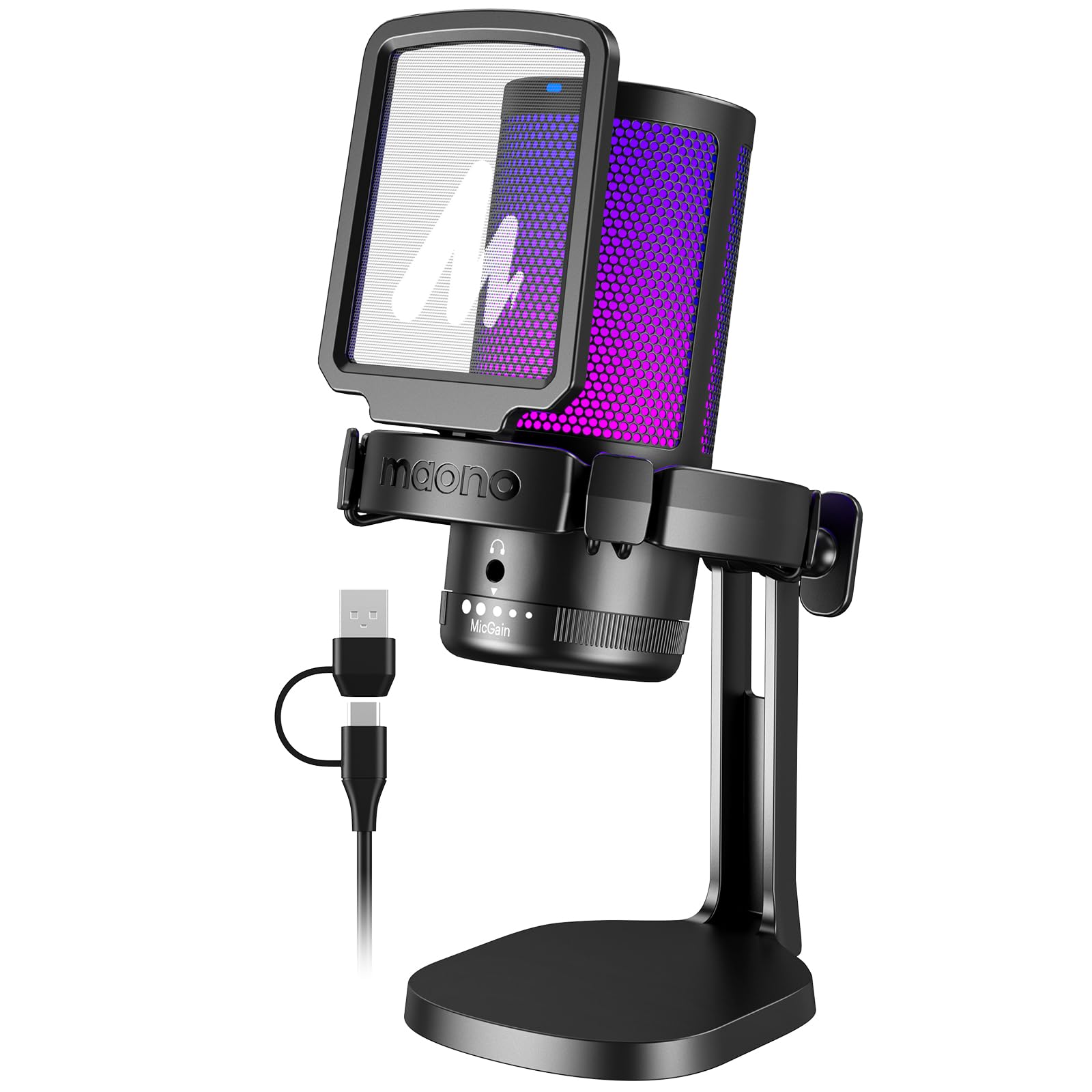
- A long press controls the noise-cancellation function.
- The 3.5mm jack supports real-time, zero-latency monitoring.
- An included cable supports USB and USB-C connections.
Best For: Windows callers who want adjustable noise cancellation and real-time headphone monitoring.
FIFINE K669B USB Microphone

- The included cable connects directly to a USB-A port.
- A volume knob is built into the mic.
- A stable tripod stand is included.
Best For: Callers seeking a basic USB mic with a physical volume knob and tripod stand.
FIFINE AmpliGame AM8 White

- USB and XLR connections support computer and mixer setups.
- USB mode provides tap-to-mute, gain and headphone controls.
- RGB lighting can be changed or switched off over USB.
Best For: Callers who want USB setup now and an XLR connection option for later audio gear.
FIFINE T683 USB Microphone Kit
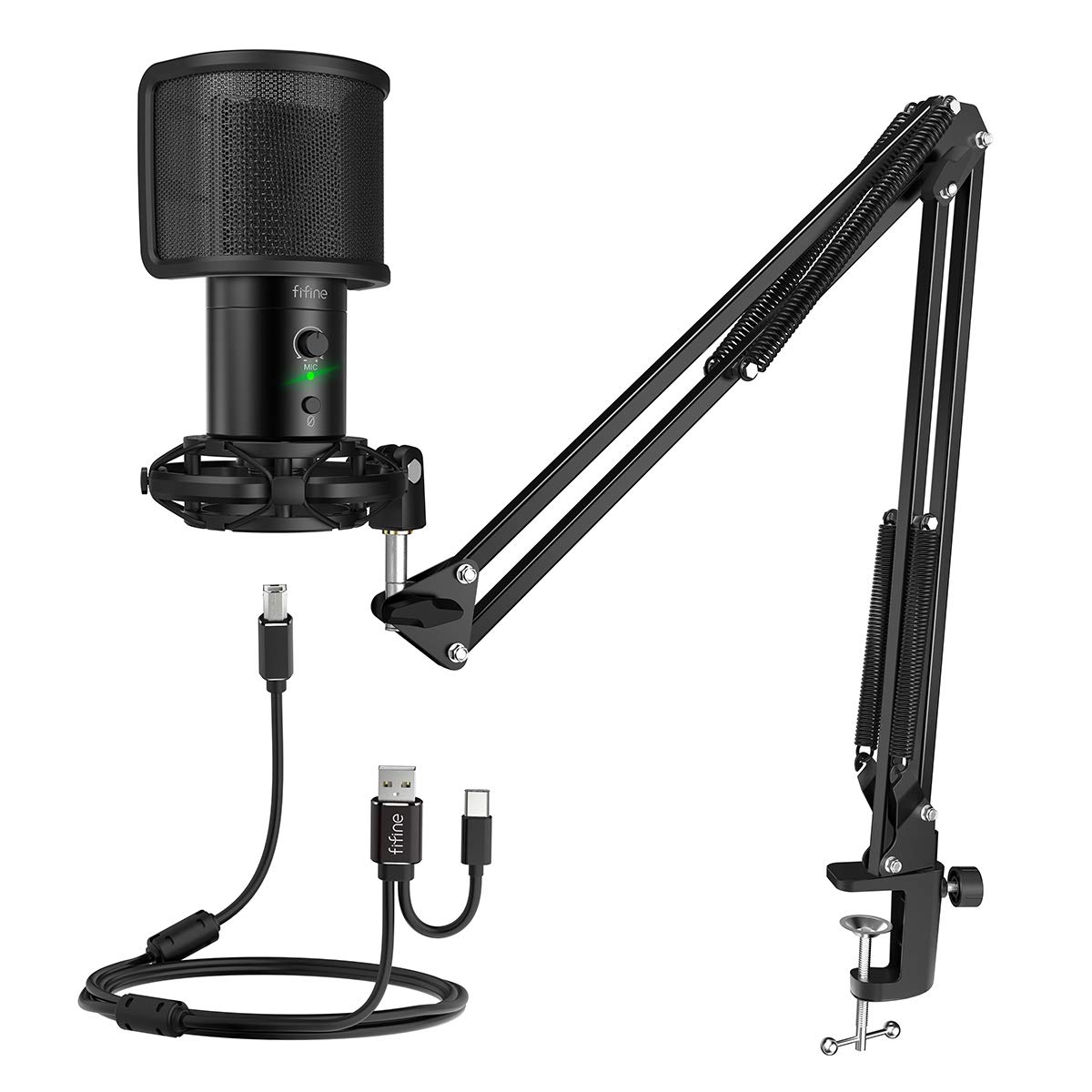
- The package includes a boom arm and table mount.
- Gain, mute and LED status controls are built in.
- The headphone jack supports real-time voice monitoring.
Best For: Callers who want an arm-mounted USB mic with physical controls and voice monitoring.
FIFINE AmpliGame A8 USB Microphone
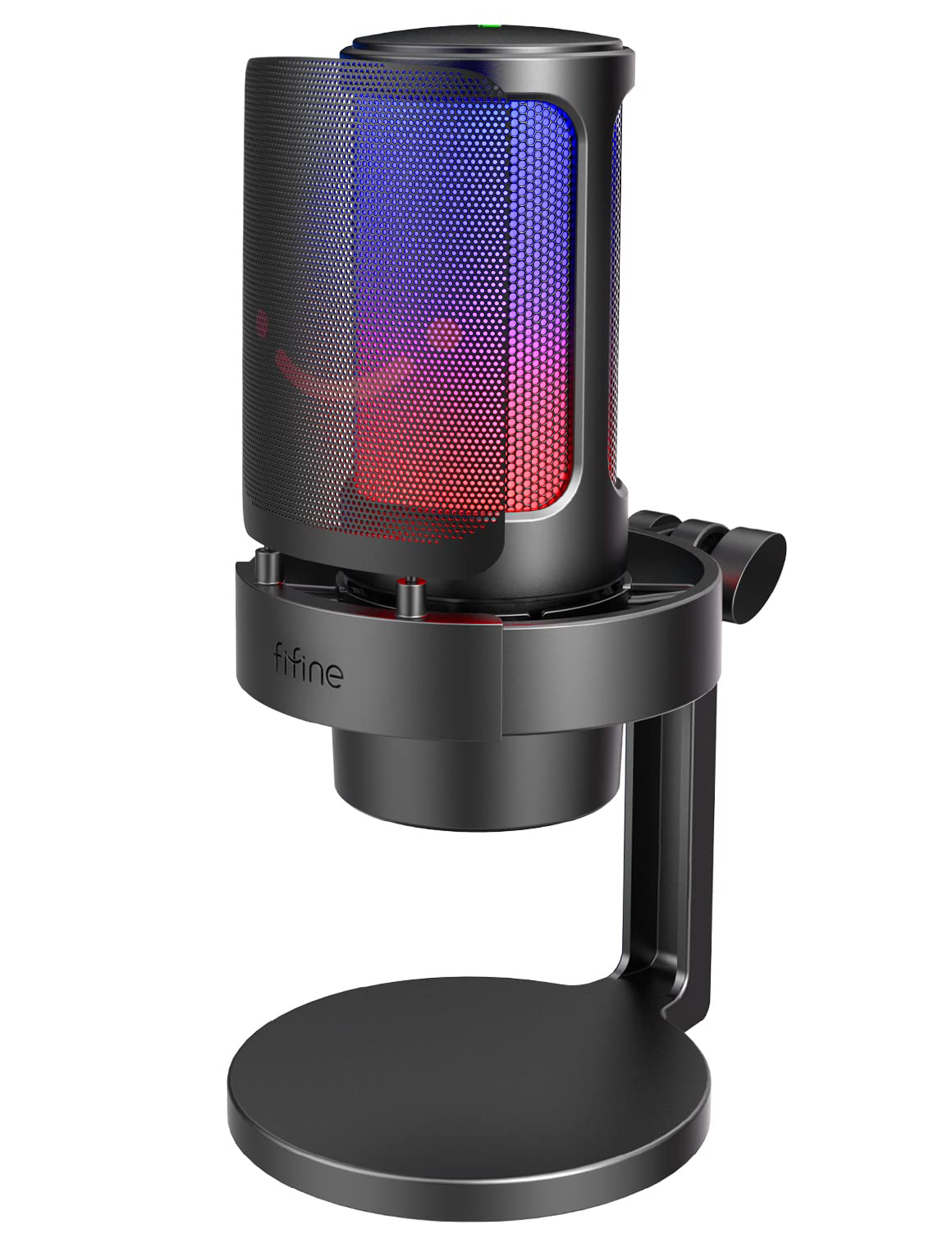
- One-tap mute and a gain knob provide direct controls.
- The headphone jack supports audio monitoring.
- A pop filter and shock mount are included.
Best For: Callers who want a desktop mic with one-tap mute, gain and headphone monitoring.
JLab Talk USB Microphone
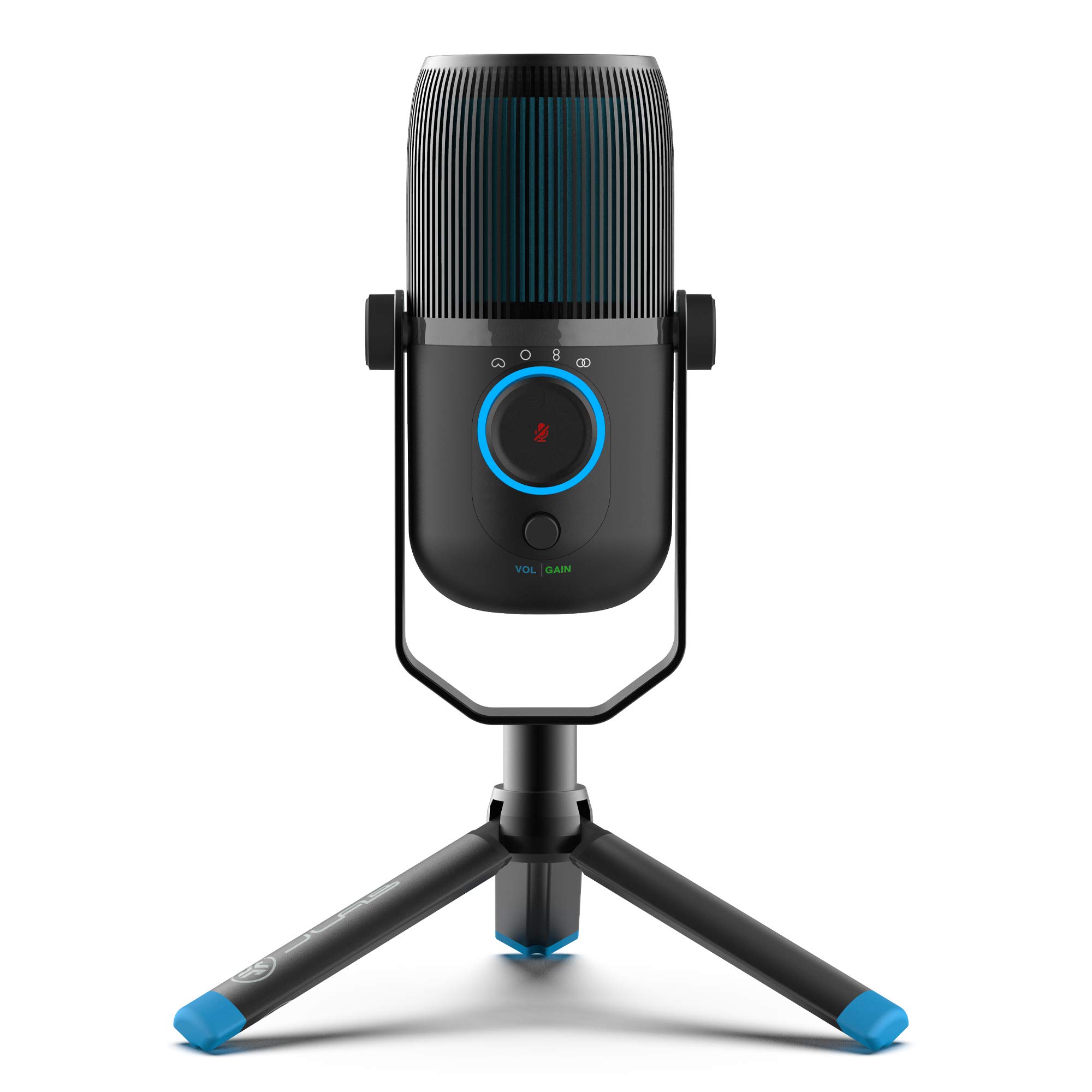
- Four pickup modes include cardioid and omnidirectional.
- Gain and volume controls are built in.
- The 6.5-foot USB/USB-C cable connects to a device.
Best For: People who alternate between solo calls and meetings with several speakers around one mic.
Samson Meteor Mic USB Microphone
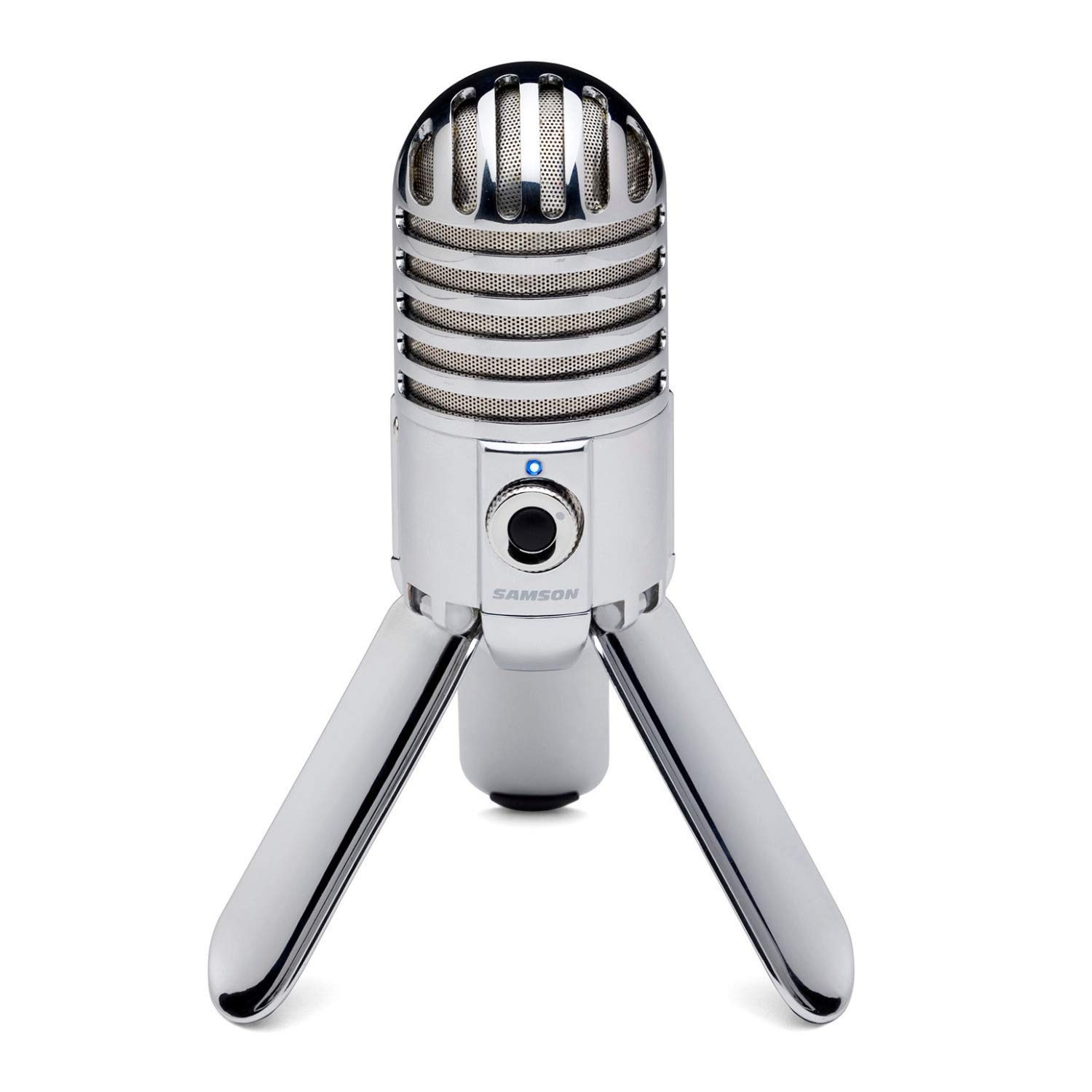
- Fold-back legs support positioning and fold for transport.
- A headphone output has a level control for zero-latency monitoring.
- The cardioid pickup pattern minimizes ambient sound.
Best For: Callers who want a portable desktop USB mic with headphone monitoring.
FIFINE AmpliGame A6V White
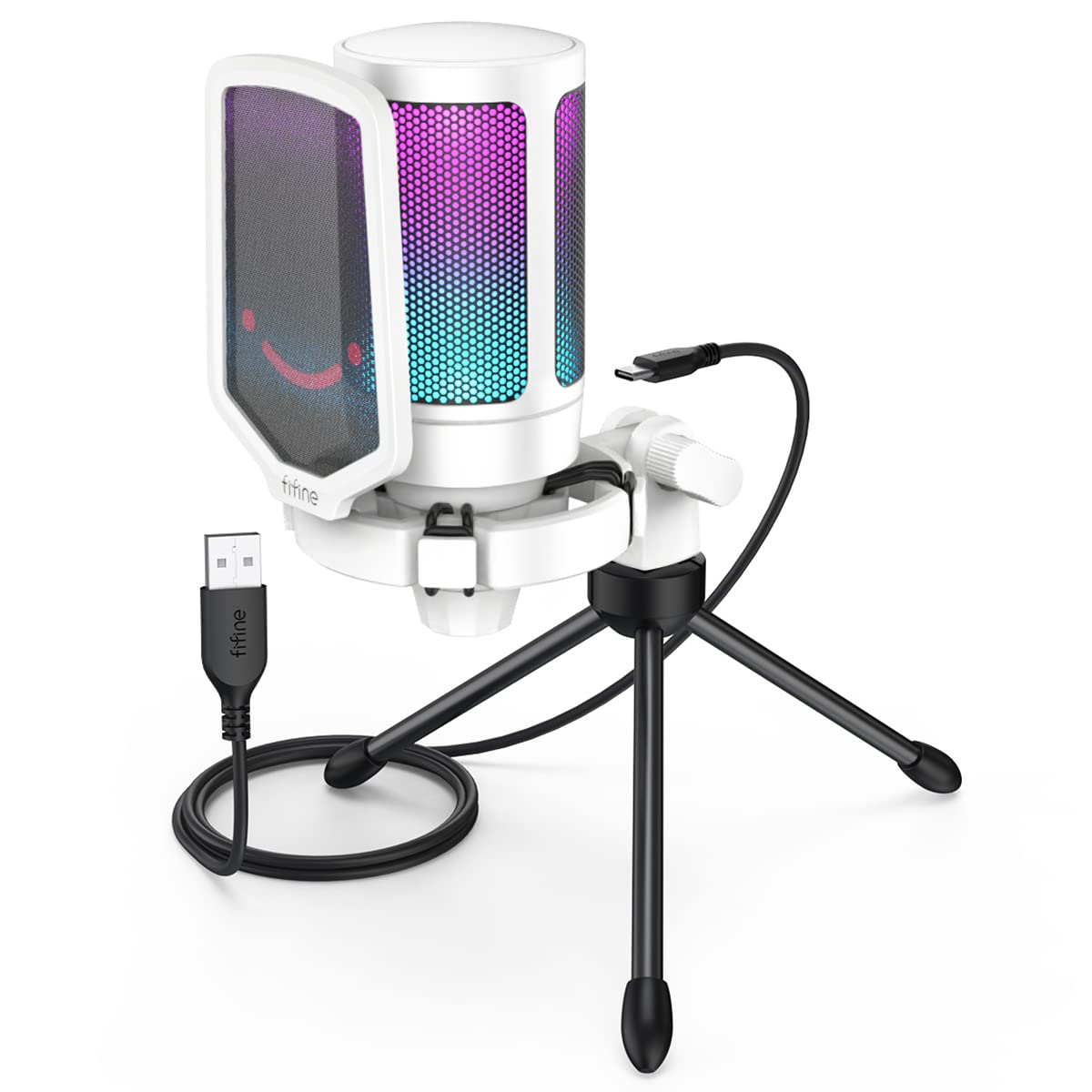
- Plug-and-play compatibility includes Windows, Mac OS and PS4/5.
- The mic has a mute button and gain knob.
- A pop filter and shock mount are included.
Best For: Callers who want a compact USB desktop mic with physical mute and gain controls.
SteelSeries Alias USB Mic
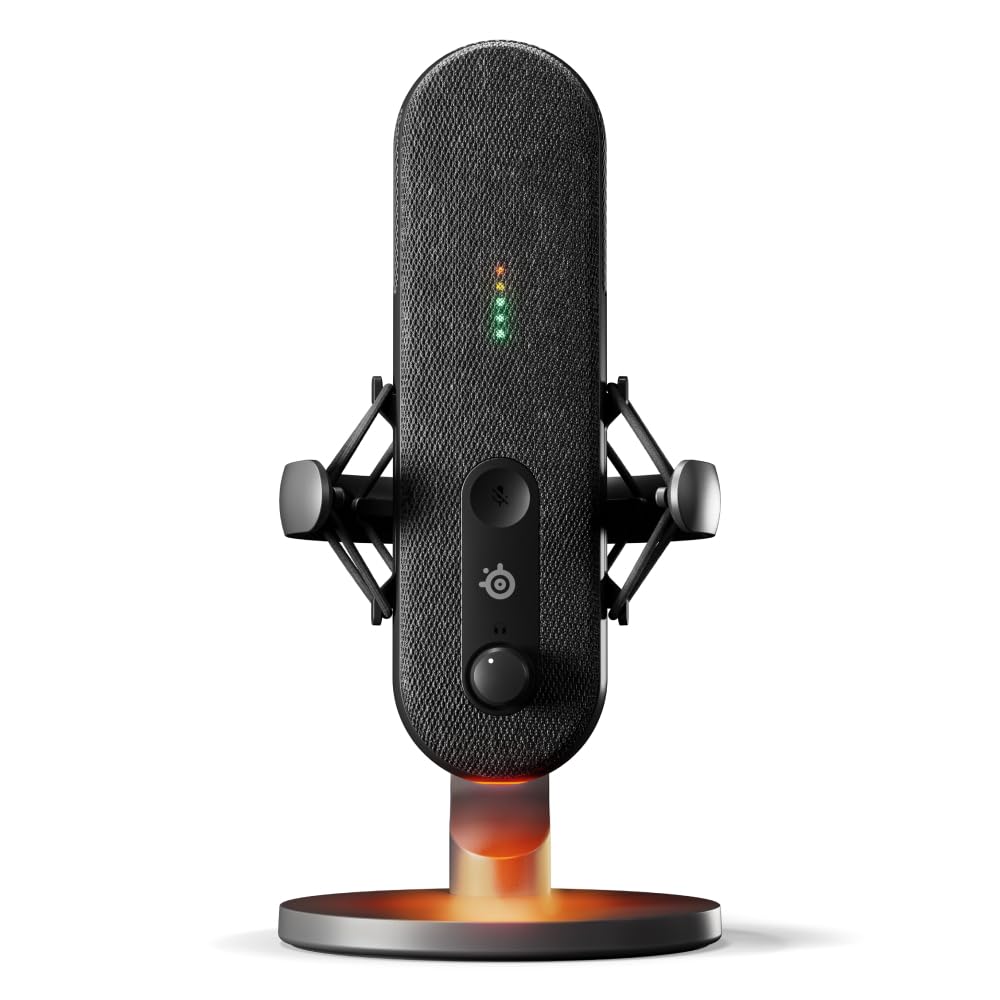
- Sonar provides mixing, app routing and AI noise cancellation.
- LED lighting shows audio levels and mute status.
- An integrated shock mount reduces unwanted vibration.
Best For: Frequent callers who want software audio routing and visible level and mute status.
Quick-Mute Desktop Controls
FIFINE USB Desktop PC Microphone with Pop Filter for Computer and Mac, Studio Condenser Mic with Gain Knob Mute Button Headphone Jack for Gaming Streaming Recording YouTube, Extra USB-C Plug-K683A
The FIFINE K683A pairs a cardioid condenser mic with a gain knob, instant mute button and 3.5mm headphone jack for real-time monitoring. Its USB connection works with Windows PCs, Macs and PS4, and it needs no extra driver.
A foldable tripod stand and detachable pop filter come in the package, making it a ready-to-place choice for everyday video calls. The cardioid pattern suits one person speaking toward the mic.
Check that your device has a USB-A or USB-C port, and note that the mic is incompatible with Xbox.
Best For: Callers who want a simple desktop mic with quick mute, gain adjustment and headphone monitoring.
| Pros | Cons |
|---|---|
|
|
Choose the K683A if you want mute, gain and headphone monitoring in a straightforward USB desktop setup. Its cardioid pickup and pop filter suit a single caller facing the mic, while the foldable tripod needs some desk space.
Check whether that placement works with your screen and whether your device has a USB-A or USB-C port. If you prefer an arm-mounted mic, confirm compatibility and package details before buying.
Noise-Cancellation Controls for Windows
MAONO USB Gaming Microphone for PC, Noise Cancellation Condenser Mic with RGB, Mute, Gain, Computer Desk Mic for Streaming, Podcast, Chat, Twitch, YouTube, Discord, PS5, PS4, GamerWave DGM20 Black
The MAONO DGM20 is a USB condenser desktop microphone with a cardioid pattern, one-click mute, gain control and a headphone monitoring jack. A long press controls its noise-cancellation function, and adjustable noise-cancellation software is available on Windows.
The included 2-in-1 USB and USB-C cable supports several computer types and PS5. These features give callers direct controls for muting, input level and listening back; the software adds another option for managing background sound on Windows.
Before buying, check how the mic will sit on your desk, since its stand details are not specified.
Best For: Windows callers who want adjustable noise cancellation and real-time headphone monitoring.
| Pros | Cons |
|---|---|
|
|
Pick the DGM20 if background-noise controls matter and you use Windows, where its adjustable software is available. The physical mute, gain knob and headphone jack remain useful for calls without software adjustment.
Its cable supports USB and USB-C, but confirm the port on your device. The stand is not specified, so check how it can be placed or mounted before buying.
Callers who want a clearly identified base or included arm may prefer a kit that specifies one.
Simple USB-A Volume Control
FIFINE USB Microphone, Metal Condenser Recording Microphone for MAC OS, Windows, Cardioid Laptop Mic for Recording Vocals, Voice Overs, Streaming, Meeting and YouTube Videos-K669B
The FIFINE K669B is a USB-powered cardioid condenser microphone with a stable tripod stand and a volume knob on the mic. It connects directly to a USB-A port, and the supplied notes identify compatibility with desktop and laptop computers as well as PS4 and PS5.
Its straightforward setup suits a single caller speaking toward the mic, without requiring a separate phantom-power supply. The product details do not identify a dedicated mute button or headphone-monitoring jack, so check whether you can manage interruptions and monitoring through your conferencing app.
It is incompatible with phones and Xbox.
Best For: Callers seeking a basic USB mic with a physical volume knob and tripod stand.
| Pros | Cons |
|---|---|
|
|
The K669B suits someone who wants a simple USB mic with direct volume adjustment and a stable tripod. Its cardioid pattern is intended to focus on the main source, making it a natural fit for solo calls with the mic in front of the speaker.
Check that your device has USB-A and is among the compatible computers or consoles. The details do not specify a mute button or headphone jack, so consider whether app controls cover those needs.
USB Now, XLR Option Later
FIFINE XLR/USB Gaming Microphone for Streaming Podcasting, PC Computer RGB Mic, with Gain Knob, Mute Button, Monitoring Jack, Gamer Mic for Recording Video Creation-AmpliGame AM8 White
The FIFINE AmpliGame AM8 is a dynamic cardioid microphone with USB and XLR connectivity. In USB mode, it has a tap-to-mute control, gain knob, headphone jack and headphone-volume adjustment.
Those controls suit calls where you want quick access to muting and monitoring. The XLR connection can connect to a mixer or sound card, while RGB lighting is also available only over USB.
Its compact white desktop design is intended for a matching setup. The suggested recording range is 2 to 6 in, so consider whether close placement will fit your desk and camera view.
Best For: Callers who want USB setup now and an XLR connection option for later audio gear.
| Pros | Cons |
|---|---|
|
|
Choose the AM8 if you want a dynamic mic for USB calls with an XLR option for a mixer or sound card later. Its mute, gain and headphone controls are useful in USB mode, but do not assume they carry over to XLR.
The suggested close recording range may affect how much the mic appears in frame or whether an arm would help. Confirm the package and placement that suit your desk, since an included stand is not specified.
Included Boom Arm and Monitoring
FIFINE USB Gaming Streaming Microphone Kit for PC Computer, Condenser Mic Set with Arm Stand Mute Button & Gain, Mic Studio Bundle for Podcast Recording Twitch Discord YouTube Zoom, USB C & A -T683
The FIFINE T683 pairs a USB cardioid condenser microphone with a boom arm, table mount, shock mount and pop filter. Gain control, a mute button and an LED indicator sit on the mic, and a headphone jack supports real-time voice monitoring.
It connects to Windows PCs, Macs and PS4 without phantom power; a USB-C-only computer needs no adapter. The adjustable arm can bring the mic closer and help keep it away from keyboard or desk thumps.
Check that your table is no more than 2in thick for the clamp, and note that the mic is incompatible with Xbox.
Best For: Callers who want an arm-mounted USB mic with physical controls and voice monitoring.
| Pros | Cons |
|---|---|
|
|
The T683 is a practical fit if you prefer an adjustable arm and want physical mute, gain and monitoring controls. Its included clamp and accessories make setup more involved than placing a tripod mic on the desk, and the clamp limit is 2in.
Measure your table edge and make sure the arm has room to move. The USB connection and listed computer compatibility suit calls, while Xbox use is excluded.
Desktop Base With Headphone Monitoring
FIFINE Gaming Microphone, USB PC Mic for Streaming, Podcasts, Recording, Condenser Computer Desktop Mic on Mac, with RGB Control, Mute Touch, Headphone Jack, Pop Filter, Stand-AmpliGame A8
The FIFINE AmpliGame A8 is a USB condenser desktop mic with a cardioid pickup pattern, gain knob, one-tap mute, headphone jack and controllable RGB lighting. Its recommended recording range is 6 to 12 inch, a useful consideration when planning the position relative to your screen.
A pop filter softens plosives, while a shock mount helps dampen vibration from a keyboard or desk. It is plug-and-play for PC, Mac and PS5, and its solid base avoids the need for a clamp.
Buyers who want to move the mic out of the way may prefer a model with an included boom arm.
Best For: Callers who want a desktop mic with one-tap mute, gain and headphone monitoring.
| Pros | Cons |
|---|---|
|
|
Choose the A8 if a desktop base and accessible call controls suit your workspace. Mute, gain and headphone monitoring cover common meeting adjustments, while the pop filter and shock mount address plosives and desk vibration.
Consider whether the recommended recording range places the mic comfortably within reach without obstructing your screen. If reclaiming desk space matters, compare its base with a microphone arm.
Switchable Pickup for Group Calls
JLab Talk USB Microphone, USB-C Output, Cardioid, Omnidirectional, Stereo or Bidirectional, 96k Sample Rate, 20Hz, 20kHz Frequency Response, Volume, Gain Control, Quick Mute, Plug & Play
The JLab Talk offers four pickup modes: cardioid, omnidirectional, stereo and bidirectional. That range can suit a solo caller at one time and a small group around the mic at another.
It also has gain and volume controls, a 3.5mm AUX input for real-time listening and a 6.5-foot USB/USB-C cable. The mic is driver-free and plug-and-play.
A standard 5/8” input supports swivel mounting to a tripod or other stand, but the included stand is not specified. Check which pickup pattern suits each meeting, since modes that capture sound from more directions can also pick up more of the room.
Best For: People who alternate between solo calls and meetings with several speakers around one mic.
| Pros | Cons |
|---|---|
|
|
The Talk is a fit when meeting formats vary and you want more than a single-speaker pickup pattern. Cardioid suits a solo caller facing the mic; the other modes provide options for different group arrangements.
Check the included stand before buying: the product has a 5/8” input for swivel mounting, but package hardware is not specified. For calls that always involve one speaker in a quiet room, a fixed-pattern USB mic may be simpler to position.
Foldable Mic for Moving Between Desks
Samson Meteor Mic USB Condenser Podcasting Podcast Recording Desktop Microphone
The Samson Meteor Mic is a USB condenser microphone with fold-back legs for positioning and easier transport. Its cardioid pickup pattern captures sound in front while minimizing ambient sound, and a 1/8” stereo headphone output with level control supports zero-latency monitoring.
It also has a 25mm diaphragm and 16-bit, 44.1/48kHz resolution. For video calls, its foldable desktop form and headphone output are useful when moving between workspaces.
A dedicated mute button and current video-call platform compatibility are not specified, so check your device connection and meeting workflow before choosing it.
Best For: Callers who want a portable desktop USB mic with headphone monitoring.
| Pros | Cons |
|---|---|
|
|
Consider the Meteor Mic if you move between workspaces and want a desktop mic that folds for transport. Its cardioid pickup is oriented toward a single speaker, and headphone monitoring can help you listen to your voice during setup.
Check the USB connection against your device and consider whether a physical mute is important to your meeting routine. The product details do not specify a dedicated mute control or current video-call platform compatibility.
White Desktop Mic With Physical Controls
FIFINE AmpliGame USB Microphone, PC Gaming Recording Desktop Laptop Mic, RGB Streaming Podcasting Condenser Mic for Online Game, Vocal, with Mute Button, Gain Knob, Tripod Stand-A6V White
The FIFINE AmpliGame A6V is a USB condenser mic with a cardioid pattern, mute button, gain knob and included tripod stand. It connects to Windows, Mac OS and PS4/5 without a software download.
The package also includes a pop filter to soften plosive sounds and a shock mount intended to reduce desktop vibration. Its white finish and RGB lighting suit a matching desk setup, while the physical controls are more directly useful during calls.
Headphone monitoring is not specified, so check whether you rely on live monitoring as you work.
Best For: Callers who want a compact USB desktop mic with physical mute and gain controls.
| Pros | Cons |
|---|---|
|
|
The A6V suits callers who want a simple desktop USB connection with quick mute and gain controls. Its tripod, pop filter and shock mount make a self-contained setup for a desk, and compatibility includes common computer systems and PlayStation consoles.
Choose it if the white finish suits your workspace, but check whether the lack of specified headphone monitoring matters to you. If desk space is tight, compare its tripod placement with the arm-mounted options.
Software Routing and Visible Mic Status
SteelSeries Alias USB Mic for PC — 3x Bigger Capsule for Gaming, Streaming and Podcasting — Sonar for Streamers Audio Software — AI Noise Cancelling — LED Mute & Level Monitoring — Shock Mount
The SteelSeries Alias is a USB cardioid microphone with Sonar software for mixing, app routing and AI noise cancellation. Green-to-red LED lighting on the mic makes audio levels and mute status visible at a glance.
An integrated shock mount reduces unwanted vibration, and the mic can use its included desktop stand or a separately sold boom arm. For video calls, its software and status lights add controls beyond basic USB connection.
Check whether you plan to use Sonar and whether the included desktop stand suits your desk before choosing this expanded setup.
Best For: Frequent callers who want software audio routing and visible level and mute status.
| Pros | Cons |
|---|---|
|
|
Choose the Alias if you want visible status feedback and expect to use software for routing or noise cancellation alongside calls. Its cardioid pattern and integrated shock mount suit a single speaker at a desk, while the LED gives a quick view of level and mute status.
The included desktop stand avoids an immediate arm purchase, but a boom arm is separate. If you prefer a minimal setup without software, a basic plug-and-play USB mic may be easier to manage.
How to Choose Microphones For Video Calls
How We Picked Microphones for Video Calls
We prioritized microphones with a clear computer connection and features that can help during a live conversation: a physical mute, gain adjustment, headphone monitoring, or a pickup pattern suited to one speaker. A mic that also includes a stand or arm can be easier to place at a desk.
The roundup includes simple USB desktop models, kits with adjustable arms, a mic with several pickup modes, and an option with software audio tools.
The candidates cover different priorities rather than one universal setup. USB models keep connection simple; USB/XLR options can also work with audio gear, while added controls and software can suit people who stream or record after meetings.
Color, RGB lighting and broad creator features are secondary to placement, connection and call management.
Comparing Microphones for Video Calls
For a compact, straightforward desk setup, the FIFINE K683A, K669B and Samson Meteor Mic use USB and desktop stands. The K683A adds mute, gain and headphone monitoring, while the K669B keeps controls simpler.
The Meteor folds for transport and includes zero-latency headphone monitoring. Check the exact connection and device support that matches your computer.
If placement flexibility matters, the T683 includes a boom arm and clamp; measure your desk edge against its 2in limit. The FIFINE AM8 adds USB/XLR connectivity and call controls in USB mode, while the JLab Talk offers four pickup patterns for changing between solo and group calls.
A multi-pattern mic can accommodate different speaker arrangements, but selecting the pattern to suit each call is part of setup.
The MAONO DGM20 adds hardware noise cancellation and Windows-only adjustable software. The FIFINE A8 and A6V offer desktop stands, cardioid pickup and physical controls, with the A8 also providing headphone monitoring.
SteelSeries Alias adds Sonar software, app routing and visible level and mute status. The coordinator's comparison table summarizes the connection, mounting and control differences across these options.
| Product | Standout features | Best for |
|---|---|---|
| FIFINE K683A USB Desktop MicrophoneCheck Price |
| Callers who want a simple desktop mic with quick mute, gain adjustment and headphone monitoring. |
| MAONO DGM20 USB Gaming MicrophoneCheck Price |
| Windows callers who want adjustable noise cancellation and real-time headphone monitoring. |
| FIFINE K669B USB MicrophoneCheck Price |
| Callers seeking a basic USB mic with a physical volume knob and tripod stand. |
| FIFINE AmpliGame AM8 WhiteCheck Price |
| Callers who want USB setup now and an XLR connection option for later audio gear. |
| FIFINE T683 USB Microphone KitCheck Price |
| Callers who want an arm-mounted USB mic with physical controls and voice monitoring. |
| FIFINE AmpliGame A8 USB MicrophoneCheck Price |
| Callers who want a desktop mic with one-tap mute, gain and headphone monitoring. |
| JLab Talk USB MicrophoneCheck Price |
| People who alternate between solo calls and meetings with several speakers around one mic. |
| Samson Meteor Mic USB MicrophoneCheck Price |
| Callers who want a portable desktop USB mic with headphone monitoring. |
| FIFINE AmpliGame A6V WhiteCheck Price |
| Callers who want a compact USB desktop mic with physical mute and gain controls. |
| SteelSeries Alias USB MicCheck Price |
| Frequent callers who want software audio routing and visible level and mute status. |
Choosing a Microphone Setup for Remote Meetings
Start with where the mic will sit. A tripod model needs clear desk space; an arm-mounted kit can bring the capsule closer and move it away when not in use.
Check clamp limits and what hardware is included. A stand is not specified for every candidate, so confirm package contents if the mic does not come with a clearly identified base or arm.
Next, consider how you will connect and manage calls. USB is the simplest route for supported computers, while USB/XLR models offer a second connection for audio interfaces or mixers.
A physical mute button is useful for interruptions, and gain controls let you adjust input at the mic. Headphone monitoring can help you hear the mic output, but confirm whether it works in the connection mode you plan to use.
Pickup pattern affects who the mic is intended to hear. Cardioid models focus on the person in front, making them a natural match for solo calls.
The JLab Talk's omnidirectional, stereo and bidirectional options can suit other arrangements. Software tools, such as the DGM20's Windows noise control or the Alias's Sonar features, add configuration choices; favor them when you expect to use those controls rather than as a substitute for checking room placement.
Who Should Buy Which Video Call Microphone?
Choose the K683A for a compact USB desktop setup with mute, gain and headphone monitoring. The K669B fits someone who mainly wants simple USB connection and volume control.
Pick the T683 if you want an adjustable arm and its clamp suits your desk; consider the A8 or A6V if a tripod base is more convenient.
For varied meeting arrangements, consider the JLab Talk and its four pickup modes. The DGM20 is a fit for Windows users who want a dedicated noise-cancellation control and software adjustment.
Choose the AM8 if you want USB now with XLR as an option for an audio interface later. The Samson Meteor Mic suits portable desk use, while the SteelSeries Alias fits callers who also plan to use its software routing and visible status features.